Firmware update
A firmware update is one file uploaded from the web interface. WiCAN writes it to its spare slot, checks it, switches to it and restarts; a failed or interrupted upload never touches the firmware that is running. Settings, files and the SD card stay as they are.
Get the file
Releases are at https://github.com/meatpiHQ/wican-fw/releases. Download the WiCAN PRO image, a .bin file named like wican-fw_obd_pro_v6.00.bin, and read the release notes. About and System › Firmware update show the version installed now.
Update
-
Power that will not go away. The car's ignition on, or a bench supply. The write takes seconds; a power cut in the middle only costs the attempt, but do not provoke it.
-
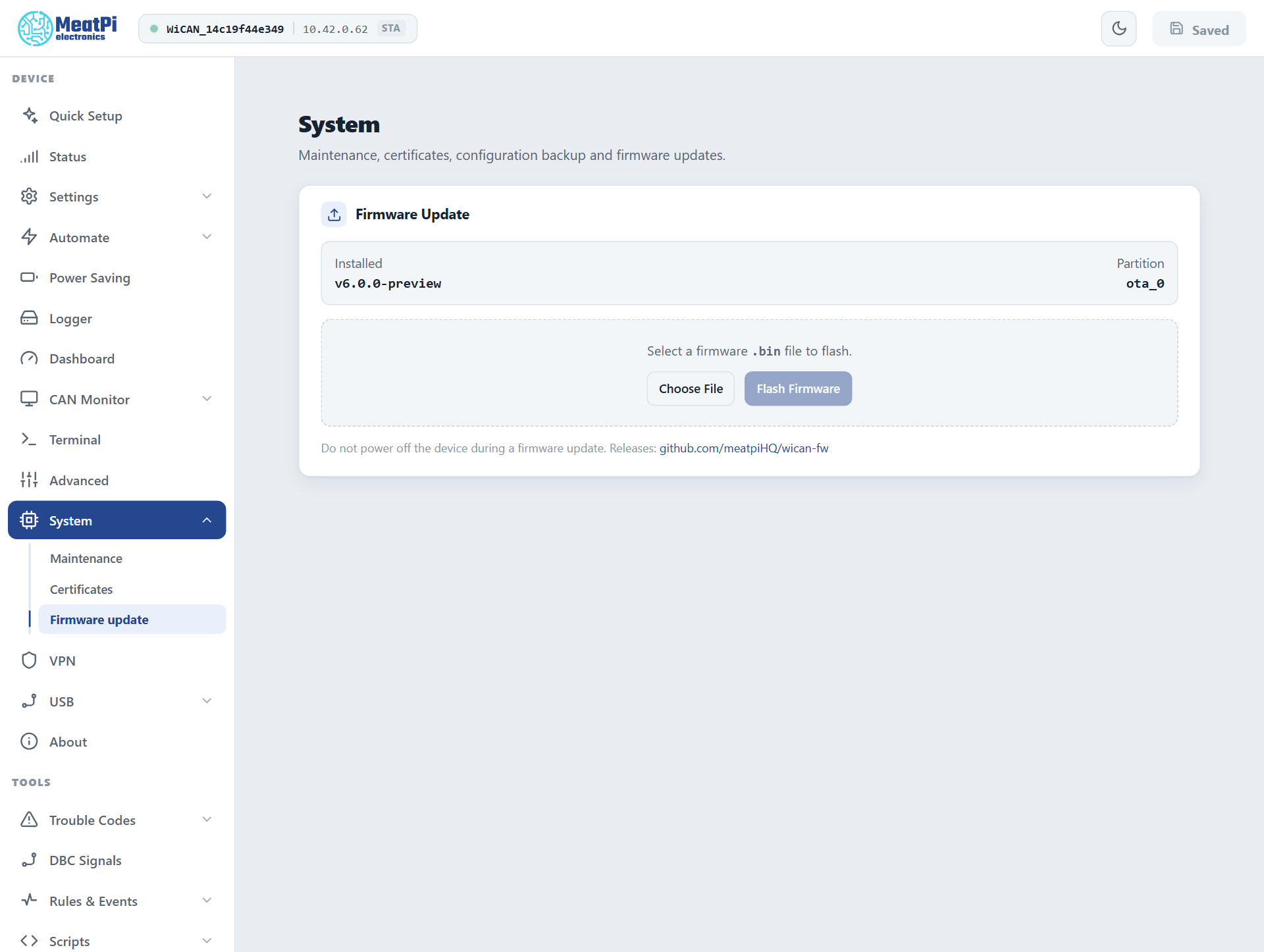
System › Firmware update › Choose File, pick the
.bin, Flash Firmware. -
Wait. A progress bar follows the upload; the LED blinks red fast while the image is written. When the upload is checked and accepted the page says it is rebooting and reconnects by itself.
-
Check. About shows the new version, and the Partition row on the Firmware update page has flipped (
ota_0toota_1, or back). If the browser still shows the old pages, reload them once: a page loaded from a previous build may be cached.
From the command line
For a script or a PC without a browser, the same route takes the file as a form upload or as the raw body:
curl -F firmware=@wican-fw_obd_pro_v6.00.bin http://192.168.0.10/api/ota/upload
curl --data-binary @wican-fw_obd_pro_v6.00.bin -H "Content-Type: application/octet-stream" http://192.168.0.10/api/ota/upload
The answer names the partition written and the device restarts a second later; GET /api/ota/status reports the progress meanwhile (HTTP API).
Coming from the v4.5x firmware
The first v6 firmware installed over the factory v4.5x firmware rewrites WiCAN's partition layout at its first start (one extra restart, recorded as partition_migrate in the restart history) and starts with factory settings: run Quick Setup again. The old configuration is not converted. Going back to the legacy firmware through the same page works too; it then starts as a fresh device.
When the web interface is out of reach
Hold the button while applying power: WiCAN starts in safe mode (LED solid yellow after a few seconds), opens its factory access point WiCAN_<device id> with the password @meatpi#, and serves a small recovery page at http://192.168.0.10/ with a firmware upload on it. See Factory reset for the whole safe mode.
Troubleshooting
| Symptom | Likely cause | What to do |
|---|---|---|
image validation failed |
not a WiCAN PRO v6 image (a zip, another product's file) | the .bin for WiCAN PRO from the releases page |
short image (connection dropped?) |
the WiFi link broke during the upload | closer to the device, or over the USB link; try again |
update already in progress |
a second upload while one runs | wait for the first |
| The page does not come back | the device restarted and the browser kept the old connection | wait 30 s and reload; the address may have changed with the network |
| The old interface still shows | a cached page from the previous build | reload the page |
Unexpected resets climbs after the update |
the new firmware crashes on something in your setup | the crash report; go back to the previous release through the same page |