Trouble codes
WiCAN reads the diagnostic trouble codes (DTCs) your car's ECUs store, shows them with descriptions from a code database you upload, and clears them when you say so. Scans can run on a schedule, and a new code can trigger a rule: an LED, an MQTT message, a push to Home Assistant.
Everything is under Trouble Codes in the sidebar: Codes, Code databases and Settings.
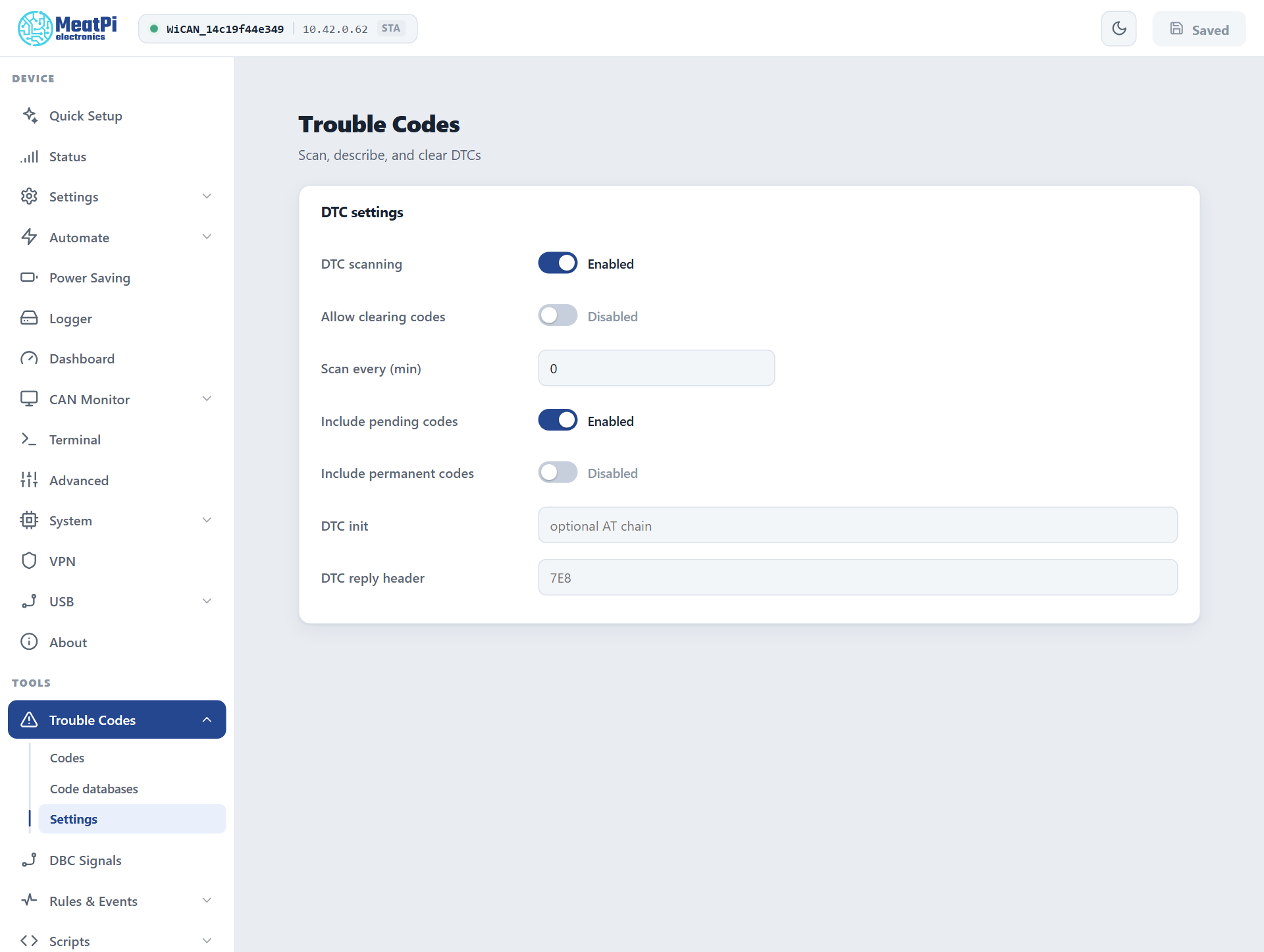
Two switches, both off out of the box
Scanning and clearing are each behind a switch on Trouble Codes › Settings, applied from Submit (WiCAN restarts):
- DTC scanning allows scans, by hand or on a schedule.
- Allow clearing codes allows the Clear button on top of that. Leave it off on a car you only want to watch.
Scanning works with vehicle polling off: it only needs the OBD chip and the ignition on.
Scan
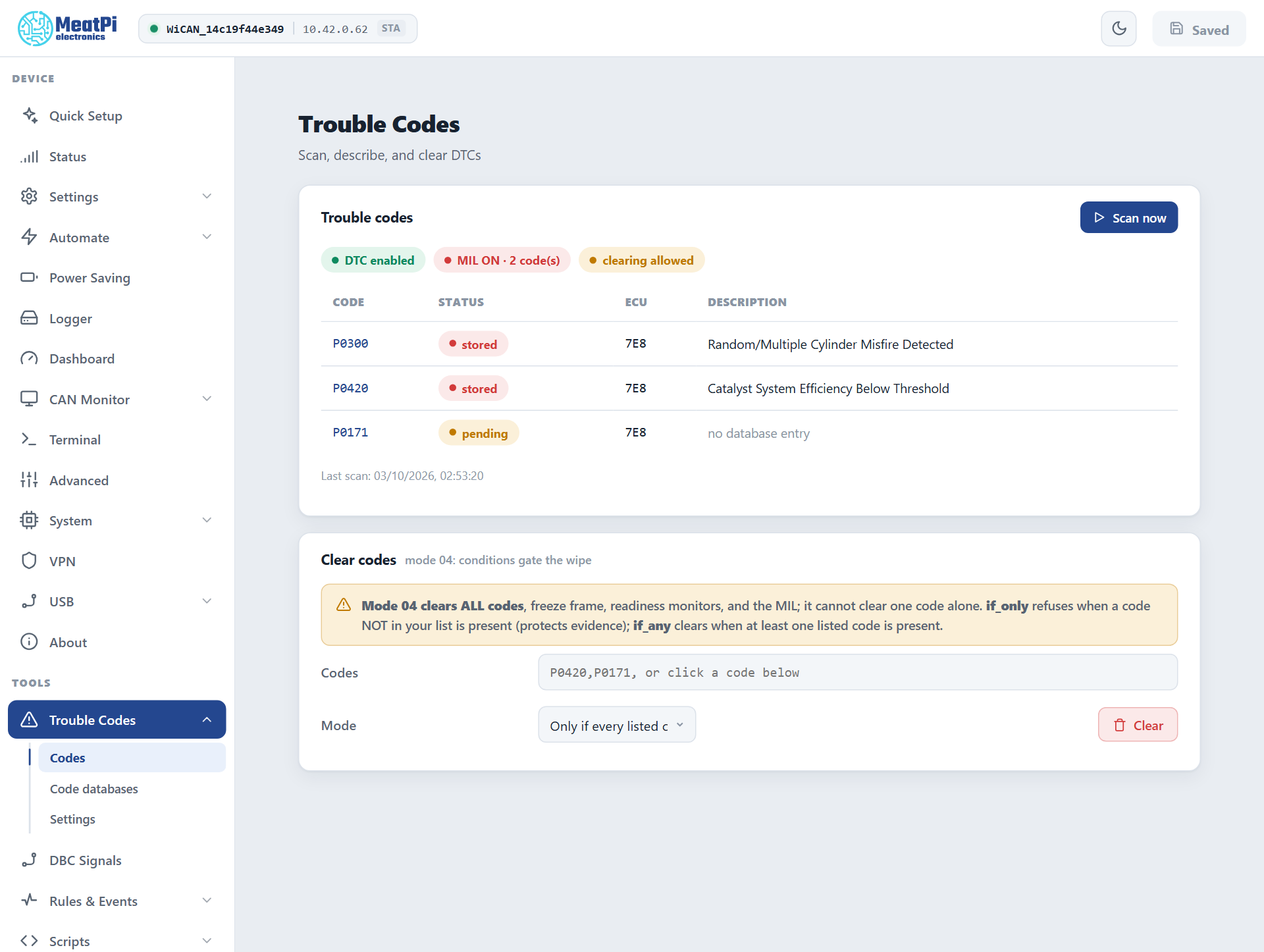
Ignition on, then Scan now on Trouble Codes › Codes. Right after WiCAN starts the chip needs about 15 seconds before a scan can answer. The table lists one row per code and ECU:
| Column | Meaning |
|---|---|
| Code | P0420, C1234, B0001, U0100: powertrain, chassis, body, network |
| Status | stored (confirmed, the lamp may be on), pending (seen once, not yet confirmed), permanent (cleared only by the ECU itself once the fault stays away), and new for a code that was not in the previous scan |
| ECU | which module reported it, when more than one answered |
| Description | from your uploaded databases, no database entry otherwise |
Above the table: the lamp (MIL) state and how many codes the ECU counts, and a chip naming the path the scan took.
What a scan asks depends on the car:
- An OBD-II car: the stored codes (mode 03), the pending ones when Include pending codes is on (mode 07), the permanent ones when Include permanent codes is on (mode 0A), and the lamp state (mode 01).
- A car that speaks OBD over UDS (ISO 27145, the WWH-OBD of newer vehicles): the equivalent services, every ECU parsed apart; the page says
OBD on UDS (ISO 27145). - A J1939 truck or machine: the active codes its controllers broadcast (DM1), with source address, occurrence count and the four lamps. WiCAN only listens there; the page offers no clear on a J1939-only vehicle.
On a schedule. Scan every (min) runs a scan periodically (0 = only when you press the button). Each code that is new since the last scan raises the event autopid.dtc with the code, its status and the lamp state, so a rule under Rules & Events can act on it (Automate rules). Scripts can call dtc_scan() and dtc_clear() as well.
Clear
Clearing on an OBD-II car is mode 04, and mode 04 is all or nothing: it wipes every emission code of every ECU, the freeze frame, the readiness monitors and the lamp. It cannot remove one code. Permanent codes survive by design. On a WWH-OBD car the matching service clears all emission codes of every ECU too.
Because of that the Clear codes section has a condition:
| Mode | What happens |
|---|---|
Only if every listed code is present (if_only) |
Refuses when a code that is not in your list is present. Protects evidence you have not looked at yet. |
If any listed code is present (if_any) |
Clears when at least one of the listed codes is present. |
| Always | Clears whatever is there. |
Type the codes (P0420,P0171) or click them in the table, choose the mode, Clear. WiCAN reads the codes fresh, applies the condition, clears, and reads again to confirm. The button stays grey until Allow clearing codes is on.
Code databases
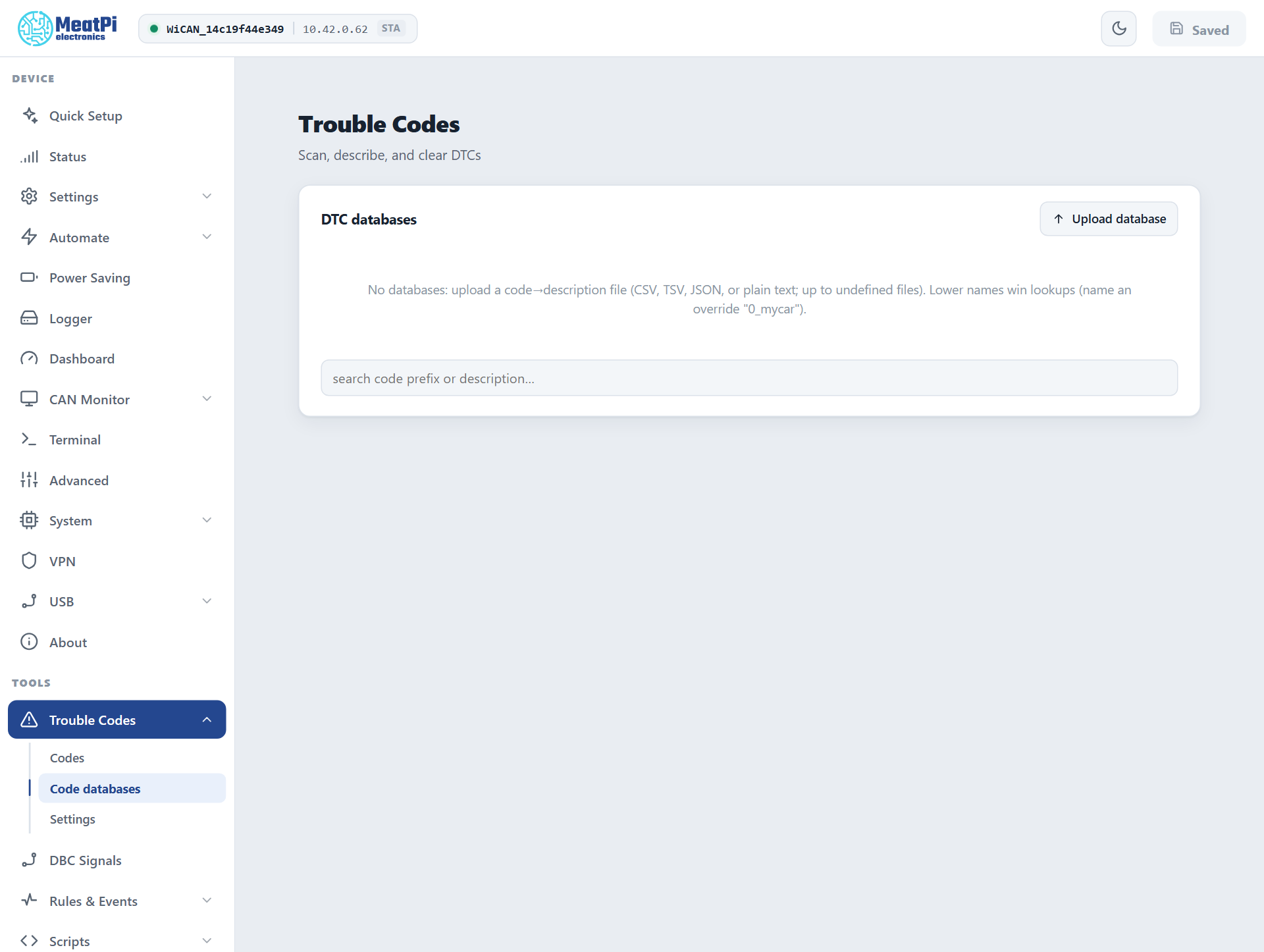
WiCAN ships without code descriptions; the table shows no database entry until you upload a list. Trouble Codes › Code databases › Upload database takes up to 8 files, the format detected on upload:
- CSV, TSV or semicolon-separated, with or without a header line and quotes:
P0420,Catalyst System Efficiency Below Threshold - A JSON object:
{"P0420": "Catalyst System Efficiency Below Threshold"} - A JSON array of objects with
codeanddescriptionkeys (common aliases accepted) - Plain text: the code, a space, the description
Codes with a suffix (P0420-00) are stored as the bare code. A rejected line is named in the error. When two databases describe the same code, the one whose name sorts first wins: name a personal override 0_mycar to put it ahead of a generic list. The search box on the page looks up a code prefix or a word of the description across all databases.
Settings reference
- DTC scanning
- Off by default. Scans by hand and on a schedule.
- Allow clearing codes
- Off by default. The second gate, for Clear.
- Scan every (min)
0by default: on demand only.- Include pending codes
- Mode 07 in every scan.
- Include permanent codes
- Mode 0A in every scan.
- DTC init
- AT commands sent to the chip before each scan,
;separated. Usually empty. - DTC reply header
- Listen to one ECU only (
7E8for the engine ECU). Empty: every ECU that answers.
Under All Settings › AutoPID the transport can be pinned: dtc_protocol (auto tries OBD first and UDS second), the UDS request and reply ids (7E0, 7E8), 29-bit ids and the UDS status mask.
Troubleshooting
| Symptom | Likely cause | What to do |
|---|---|---|
Scan now is grey, DTC disabled |
the first switch is off | Trouble Codes › Settings › DTC scanning, then Submit |
| The scan returns nothing right after a start | the chip is not ready yet | wait 15 seconds and scan again |
busy when scanning |
another chip job is running (vehicle detection, a PID test) or an app holds the chip | wait for it, or close the app |
Clear is grey, clearing locked |
the second switch is off | Allow clearing codes, then Submit |
| The clear was refused | the if_only condition met a code not in your list |
look at that code first, or use if_any |
| A code comes back after clearing | the fault is still present, or it was a permanent code | fix the fault; permanent codes clear themselves later |
| No descriptions | no database uploaded, or the code is not in it | upload one under Code databases |