WiFi
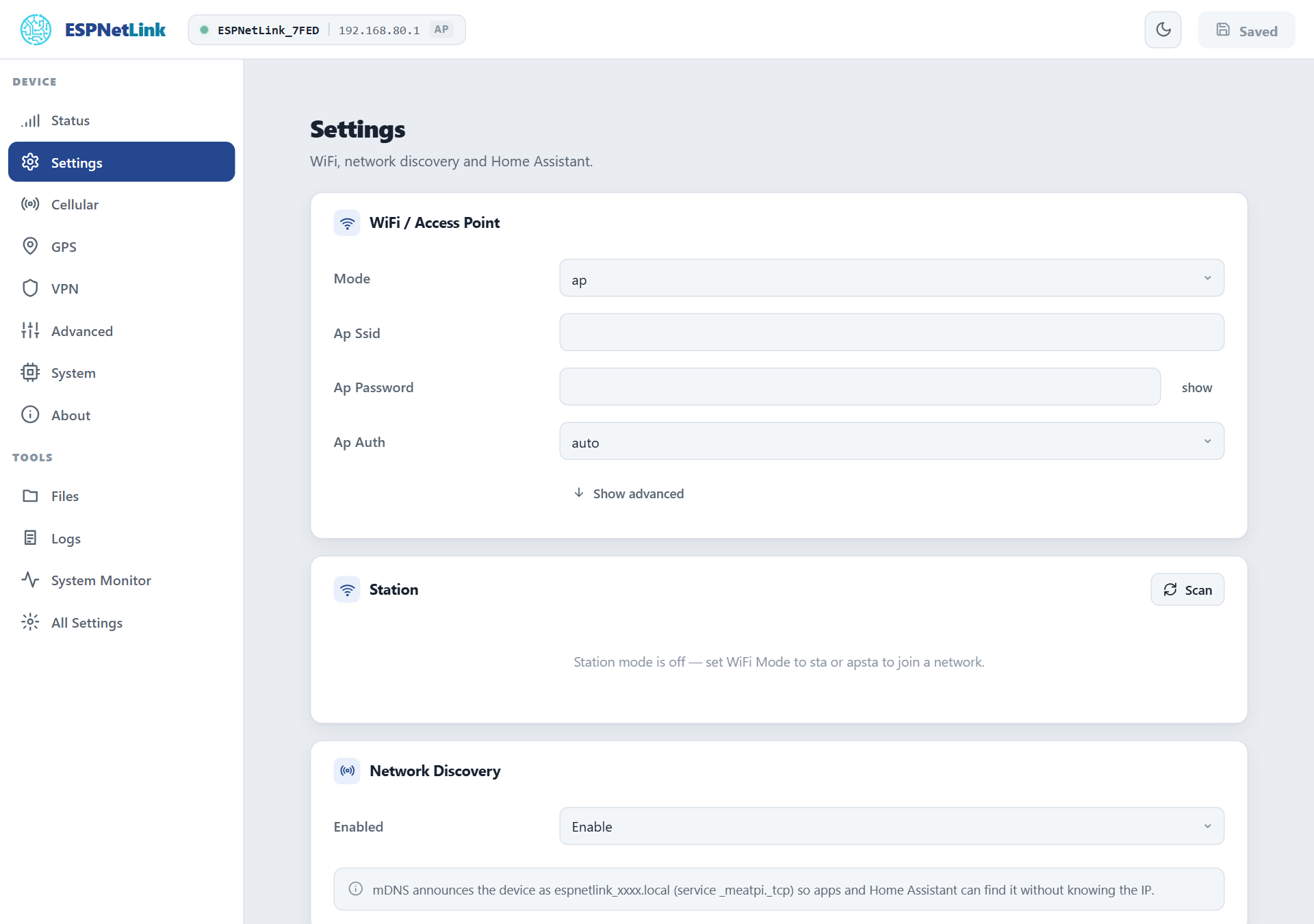
The dongle has a WiFi radio with an access point of its own and a station that can join your network. It ships with the radio off: the USB cable is the way in, and the access point is for the WiCAN PRO's WiFi modem mode or for a dongle that serves a few devices from a charger.
- Ships
- Radio off (Mode
off) - Access point
ESPNetLink_and the last six characters of the device id, at192.168.80.1, WPA2, channel 6, up to 4 clients- Password
- Generated for each dongle at its first start, 12 characters.
wifi_modem -kon the console prints it; a WiCAN PRO reads it over the cable - Station
- One main network and up to five backup networks, in priority order
Turning the radio on
Settings › WiFi / Access Point › Mode, then Submit Changes:
| Mode | What runs |
|---|---|
off |
Nothing. The default. |
ap |
The access point only. |
sta |
The station only: the dongle joins your network. |
apsta |
Both. |
From the console: config set WIFI_MODE ap (or sta, apsta) and reboot. A WiCAN PRO in WiFi modem mode turns the access point on by itself; in USB Ethernet mode it leaves the radio alone.
The access point
The password. Every dongle gets its own random 12-character password at its first start (letters and digits that cannot be confused: no 0, O, 1, l or I), in place of a factory password that would be the same on every unit. It never appears on the web page or in a log. Read it on the console with wifi_modem -k, which works with the radio off too:
A WiCAN PRO reads the same thing over the USB cable when it pairs. Set your own under Ap Password (8 to 64 characters); a factory reset generates a new random one.
Sharing the LTE link. With Ap Share on (the default, under All Settings › Wifi Modem), every client of the access point gets internet through the dongle: the dongle is the gateway and the DNS server of its own network and translates addresses onto the LTE link. That is what a WiCAN PRO uses in WiFi modem mode, and what makes the dongle a small hotspot for a phone or a laptop. Keep expectations at Cat M1 speed: tens of kilobytes per second shared by everyone on it.
The other fields of the card, under Show advanced: Ap Ip (the dongle's address and the DHCP range, 192.168.80.1 by default), Ap Channel (1 to 13), Ap Bandwidth (20 or 40 MHz), Ap Hidden, Ap Max Connections (1 to 10), Ap Auto Disable (turn the access point off while the station is connected, back on when it loses the network), Ap Auth (auto is WPA2 with a password and open without; wpa3 and wpa2wpa3 are available), Power Save and the WiFi memory profile.
The station
| Field | Meaning |
|---|---|
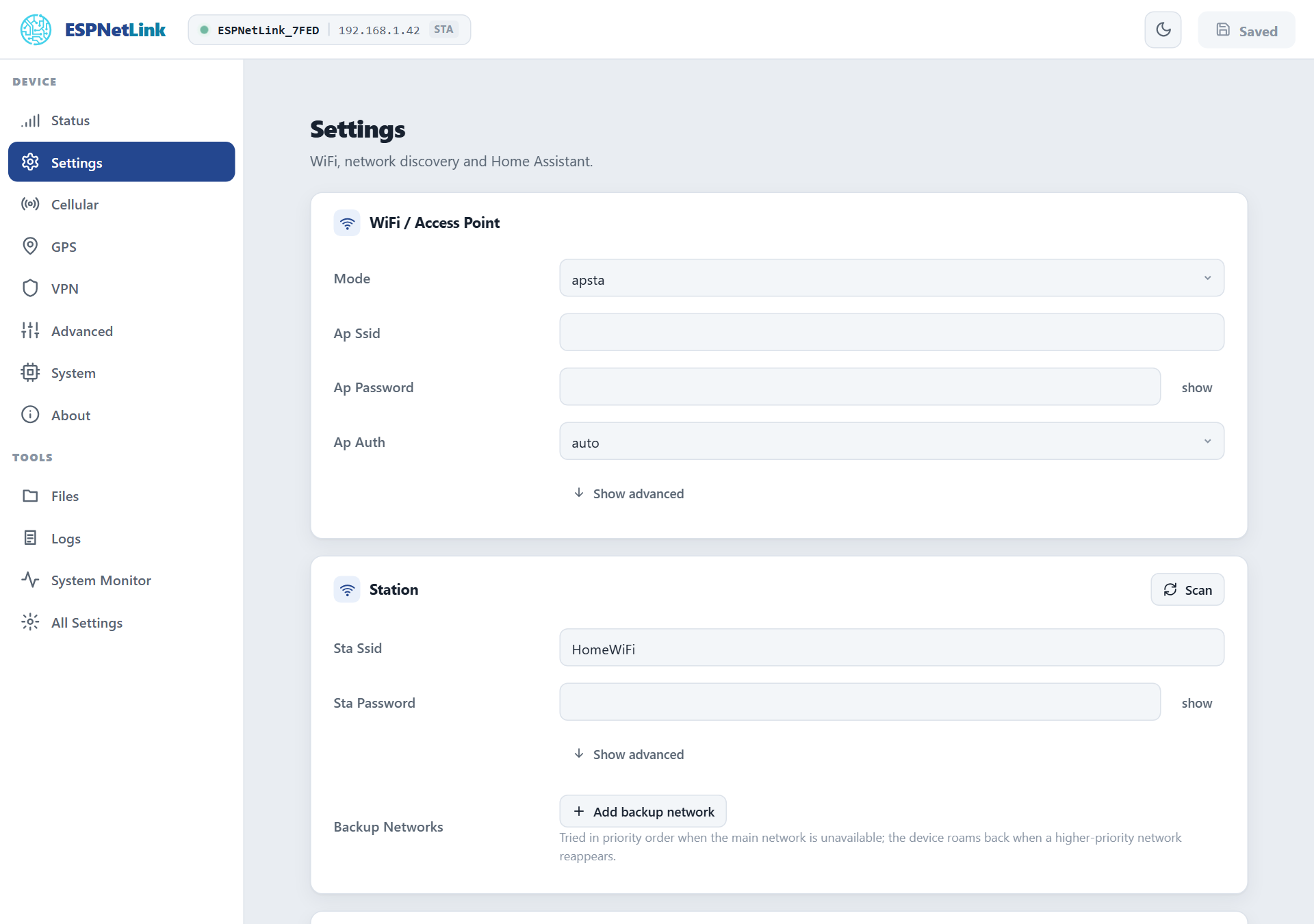
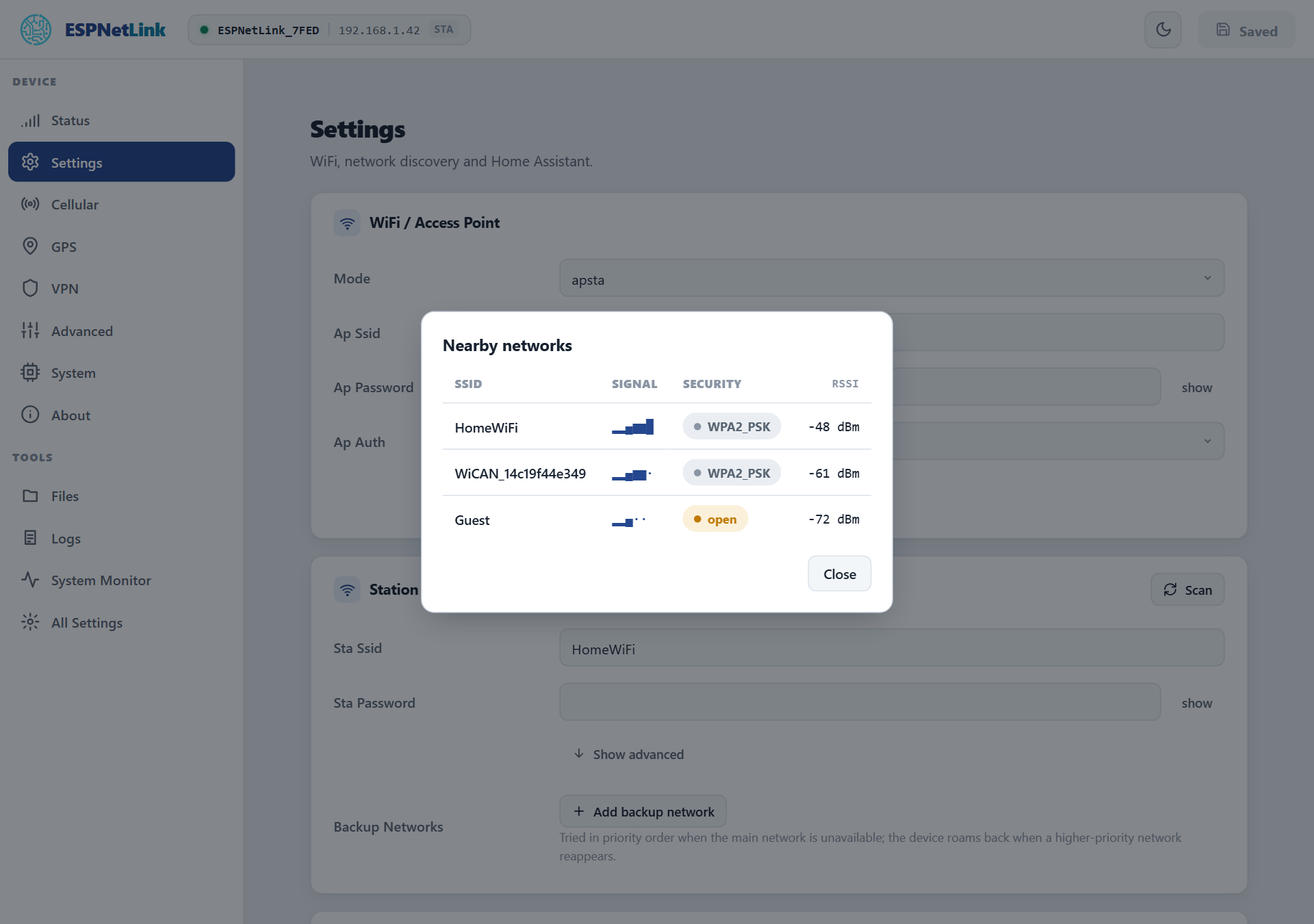
| Sta Ssid, Sta Password | The main network. Scan shows what is in reach with signal and security. |
| Sta Trusted | On by default. Off marks the network as untrusted: the web page and the API refuse requests that arrive through it (HTTP 403), so a dongle on a shared or office network cannot be reconfigured from there. The USB link and the access point are always trusted. |
| Backup Networks | Up to five more networks, tried in order when the main one is not in reach; each with its own password, trust and addressing. While on a backup network the dongle looks for a higher-priority one every Sta Roam Interval S seconds (300 by default) and moves back when it sees it. |
| Hostname | The name on your router. The mDNS name is always espnetlink_<device id>.local. |
| Sta Ip Mode and the static fields | DHCP by default; a static address, netmask and gateway per network under Show advanced. |
| Sta Dns | A DNS server to use instead of the one the network offers, for both addressing modes. |
| Sta Auto Reconnect, Sta Max Retry | Reconnect by itself (on), and how many tries before a one-minute pause (-1 is forever). |
A network that refuses the password three times is set aside for ten minutes and the next candidate tried; when it is the only one it is still tried once a minute, so the dongle comes back when the home router does.
WiFi modem mode with a WiCAN PRO
Seen from the dongle, the WiFi modem mode is: radio in ap mode, Ap Share on, the USB data lines cut by the WiCAN after it has read the password. The WiCAN keeps its home network first and the dongle's network as a backup, so it is on the dongle only when away from home. The dongle's page is then at http://192.168.80.1 for anyone on its access point, and its health document (GET /api/wifi_modem) is what the WiCAN polls. The WiCAN PRO manual's USB accessories chapter has the WiCAN side.
Troubleshooting
| Symptom | Likely cause | What to do |
|---|---|---|
No ESPNetLink_ network in the air |
the radio is off (the default) | Mode ap, submit; or config set WIFI_MODE ap and reboot |
| Forgot the access point password | it was generated, never shown | wifi_modem -k on the console (over USB, or through the WiCAN's Dongle console); or a factory reset for a new one |
| Joined the access point, no internet | Ap Share off, or the LTE link down | check Cellular first; Ap Share under All Settings › Wifi Modem |
| The page refuses with 403 on my network | the network is marked untrusted | reach the dongle over USB or its access point and tick Sta Trusted |
| The dongle does not join my network | wrong password, or the network is 5 GHz only | the radio is 2.4 GHz only; check the password with Scan showing the network |
A WiCAN PRO says pairing on hold |
the WiCAN's own factory access point password is still in place | change it on the WiCAN; nothing to do on the dongle |