Crash report
The dongle remembers why it restarted, keeps its log across restarts and stores a summary of a crash. When something is wrong, these three tell you whether the dongle restarted by itself, how often, and what it was doing.
Unexpected resets
The Status page's Unexpected resets row and the About page's Boot Count are the first look: a dongle that only ever restarts because you asked (a submit, an update, a reboot) shows 0. The count survives warm restarts and clears at a power cut, so a WiCAN PRO's sleep (which cuts the dongle's power) clears it too.
The restart history
System › Restart History lists the last eight starts, newest first: the reason the chip reports (software, poweron, panic, task_wdt, brownout, deepsleep...), whether the restart was planned and why (config_apply after a submit, ota_apply after an update, user_request for the Reboot button, factory_reset, power_wake after wake), and who asked (web_ui, console, ota, wican for a WiCAN PRO's update relay).
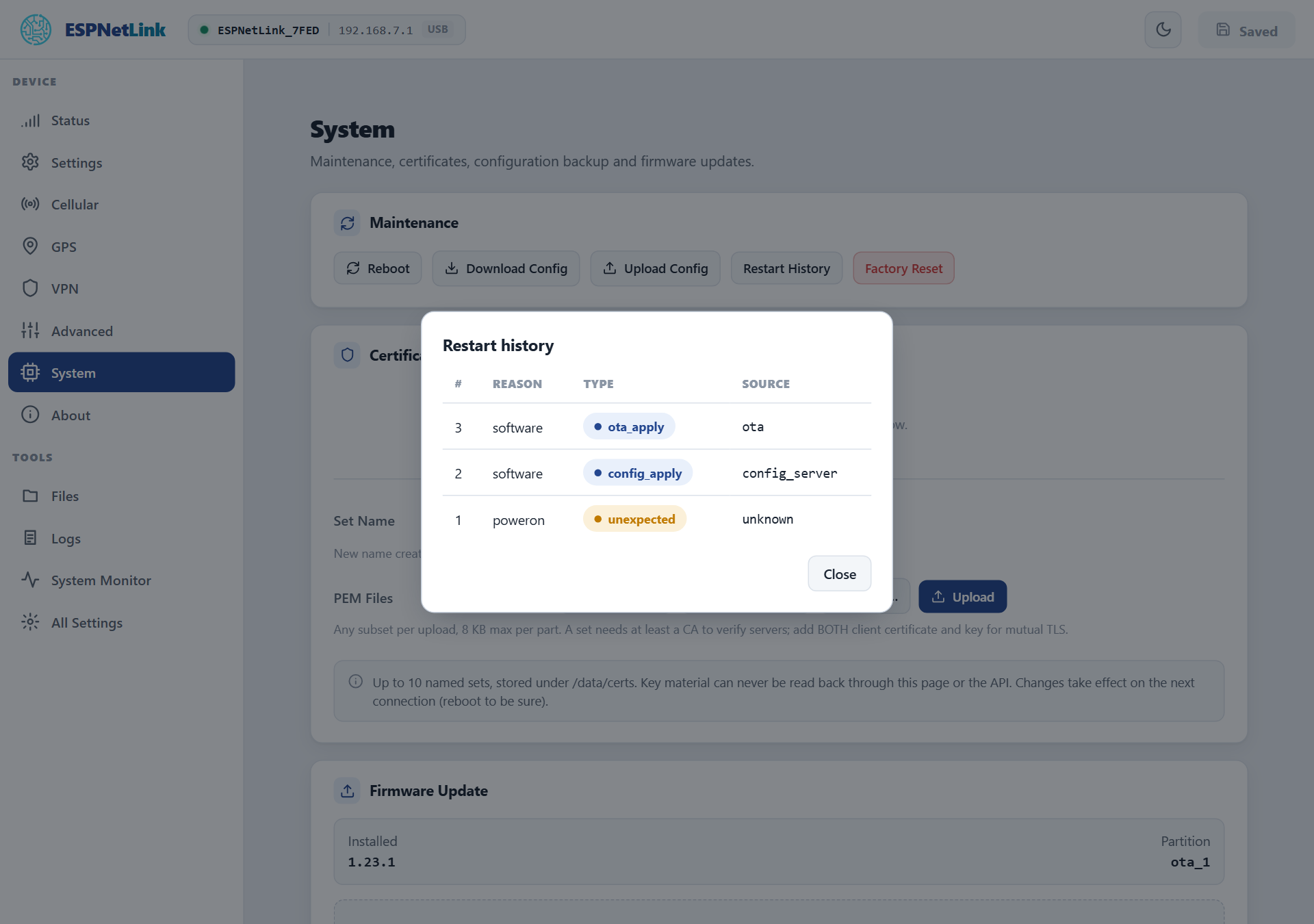
On the console restart_tracker -a prints the same with the time of each request and start:
esp> restart_tracker -a
Boots: 3, unexpected resets: 0
[3] reset=software planned=ota_apply source=ota flags=0x0 request=2026-10-23T14:23:24Z uptime_ms=72948 boot=2026-10-23T14:23:25Z
[2] reset=software planned=ota_apply source=ota flags=0x0 request=2026-10-23T14:22:09Z uptime_ms=1442862 boot=2026-10-23T14:22:11Z
[1] reset=poweron planned=none source=unknown flags=0x0 request=unsynced uptime_ms=0 boot=unsynced
OK
GET /api/restart/history is the same for a script.
The log from before the restart
The log ring on the Logs page is kept in memory that a warm restart does not clear. After an unexpected reset, open Logs before anything else: the lines above the newest ---- boot ---- separator are the last thing the dongle logged before it went down. Download saves the ring; send that file with a support request, with the About page's details.
The stored crash summary
A crash writes a core dump into a dedicated flash partition. factory coredump on the console prints its summary as one JSON line: the task that crashed, the cause, the program counter and the backtrace addresses, which the firmware developers can resolve against the build. factory coredump erase clears it.
After a firmware update
A new firmware runs as pending until it has been on the mobile network or has run for two minutes. On a dongle with the rollback-capable bootloader (system -i says bootloader 2), a crash before that boots the previous firmware again: the version on About is then the old one and the history shows the crash. See Update.
When the dongle keeps restarting
- Power: a USB port that cannot supply enough current makes the modem's transmissions reset the dongle (
brownoutin the history). Try another port or cable. - Settings: a component whose settings fell back to defaults shows Settings problem in the sidebar. All Settings names it.
- A factory reset, then a recovery over USB if the resets continue with factory settings. Keep the downloaded log for the report.